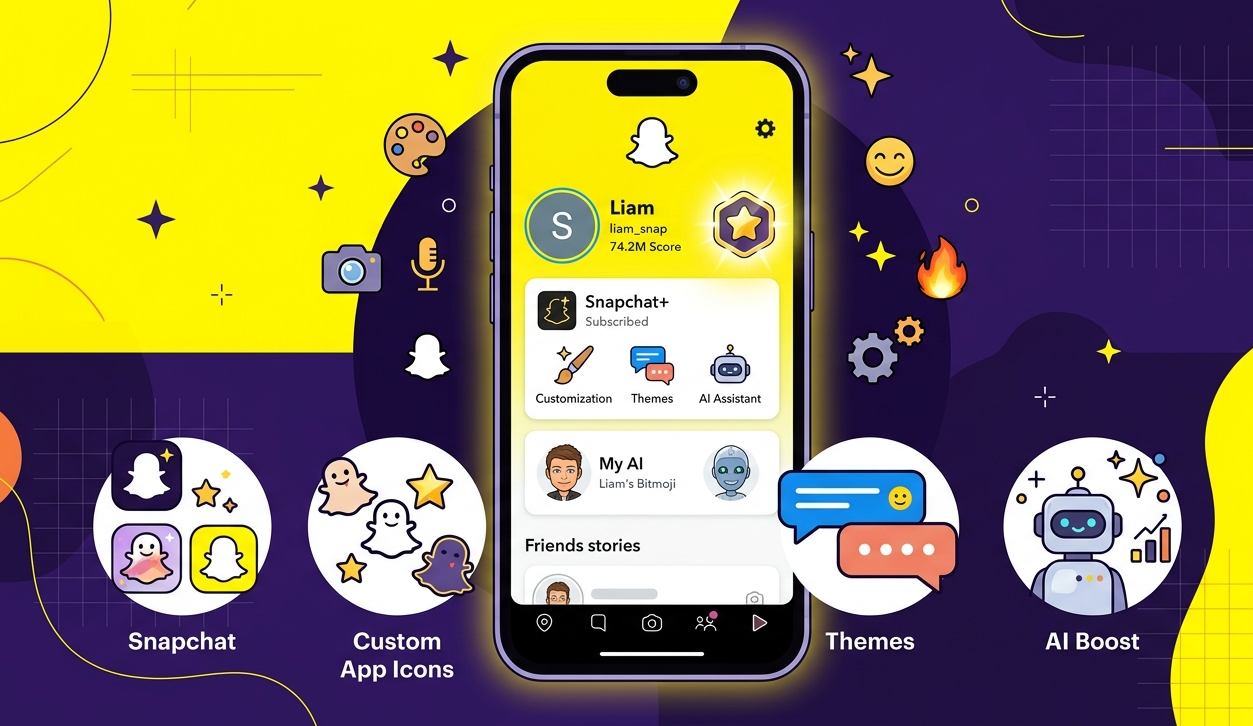
If you want to know about more than 40 interesting features of Snapchat Plus, you have come to the right place. In this article, we will go through all the features available in Snapchat Plus and also explain what benefits each of them offers.
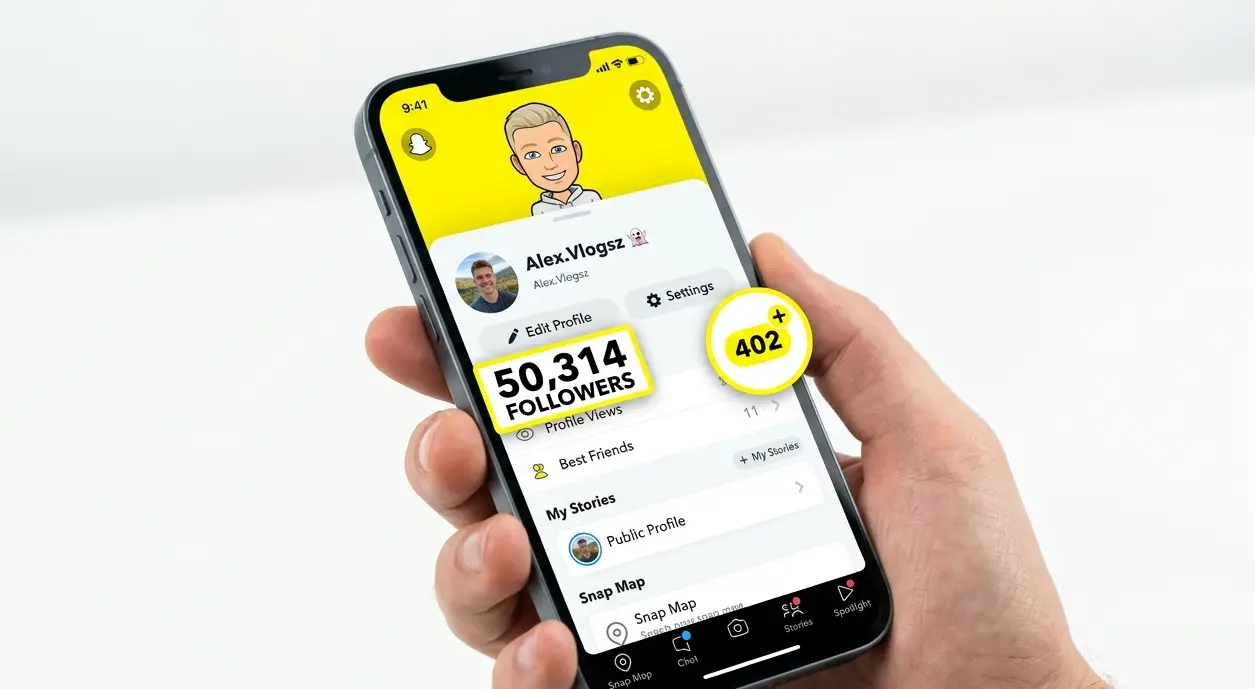
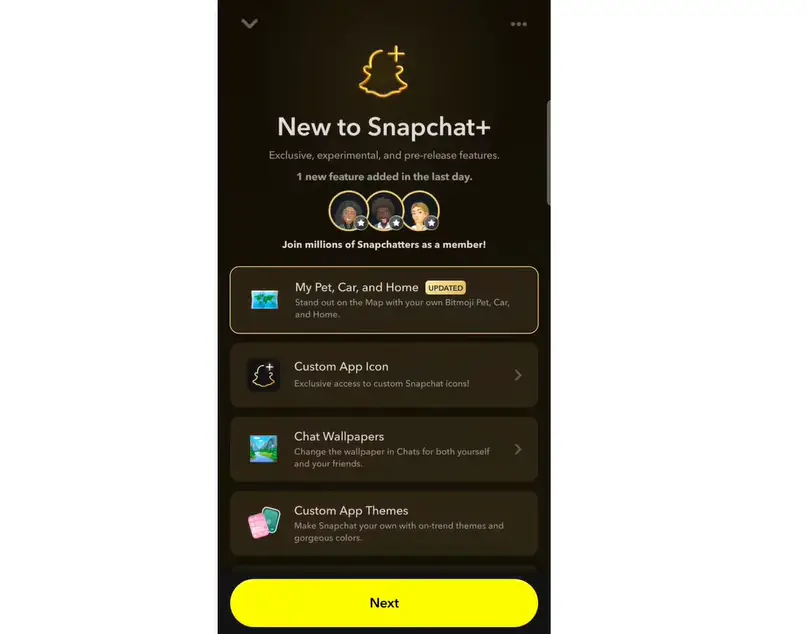
To access Snapchat Plus features, open Snapchat, tap on your profile icon, and select the Snapchat Plus option from your profile page.
What Is Snapchat Plus?
Snapchat Plus is Snapchat’s own official subscription service. When you activate it, you get access to a wide range of exclusive features that are not available to regular users.
New features are added to Snapchat Plus on a regular basis, making it more valuable over time.
Buddy Pass
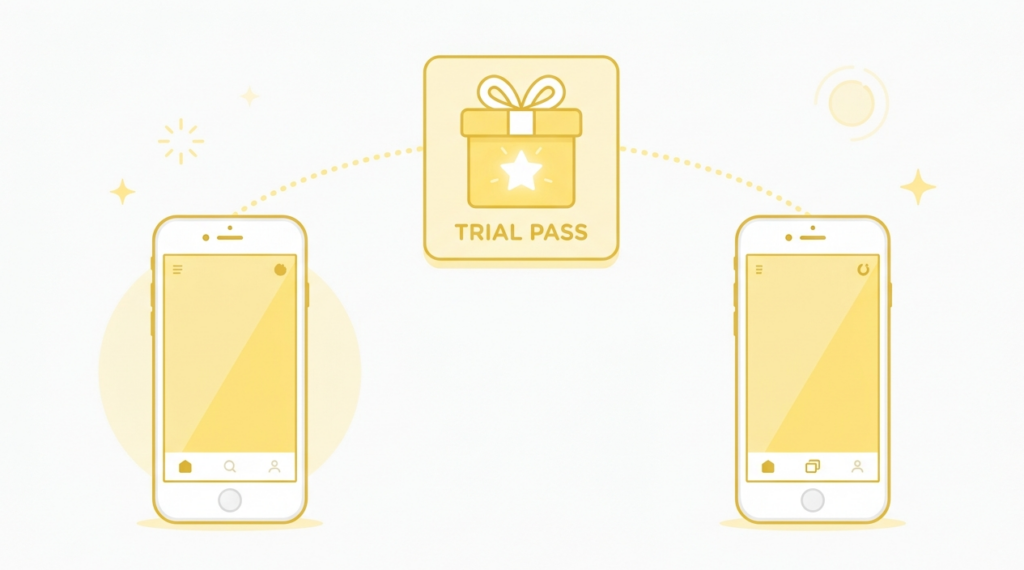
The first feature you will see inside Snapchat Plus is the Buddy Pass. The Buddy Pass is basically a free trial of Snapchat Plus that you can send to your friend. The friend you send it to can use Snapchat Plus features for free for 7 days.
For example, to send it, tap on Send Buddy Pass, then search for the friend you want to send the Buddy Pass to.
Once you find the friend, tap on Send and then tap Yes. As soon as you send it, your friend will get a notification in chat.
When your friend opens the chat, an option to claim the Buddy Pass will show up. Once your friend taps on Claim Buddy Pass, a page will open, and after claiming it, your friend will get the Snapchat Plus subscription and its features for 7 days for free.
Gift Snapchat Plus to Friends
The second feature is Gift Snapchat Plus. Using this, you can send the Snapchat Plus subscription to your friends as a gift.
Snapchat Plus Comic Bitmoji
The next feature is Comic Bitmoji. As you may already know, Snapchat Plus currently shows Bitmoji in 3D.
However, back in 2022, the Bitmoji used to be 2D instead of 3D. With the Comic Bitmoji option, you can set your Bitmoji and the Bitmoji of all your Snapchat friends to look like the older 2D style.
Custom App Theme
The next feature in Snapchat Plus is Custom App Themes. Tap on this option, and you will find different themes to choose from. Select the theme you want, tap on Apply Theme, and then tap Restart App.
Once you restart the app, your chat section and the whole of Snapchat will change into that selected theme.
Custom Chat Wallpaper/Theme
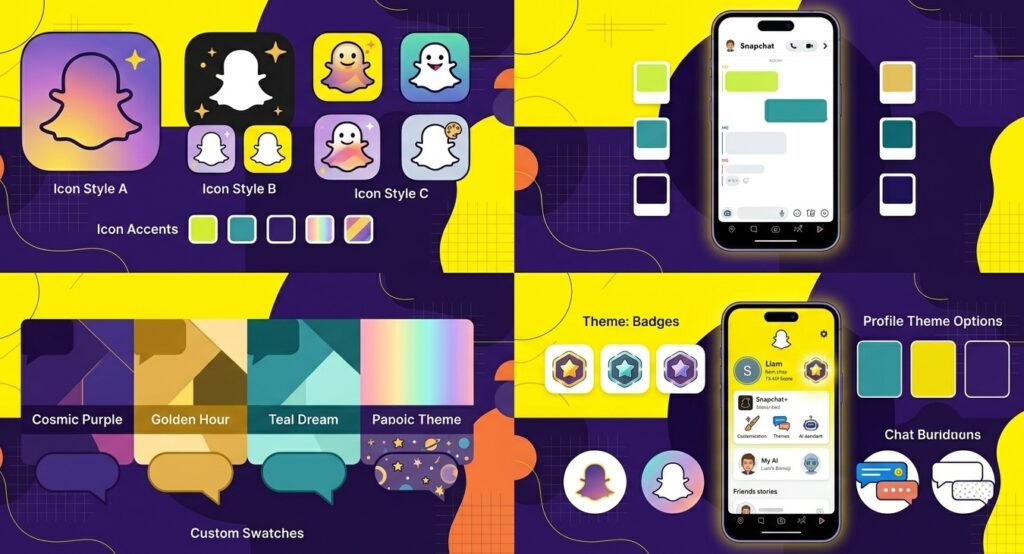
The next feature is Chat Wallpapers. Using this feature, you can set a different wallpaper or theme for the chat of each of your Snapchat friends.
You can also use a picture from your gallery and set it as a chat wallpaper. These are some of the main benefits you get if you have Snapchat Plus.
Pin #1 Best Friend
The next feature is Pin Best Friend. Using this feature, you can set any of your friends as your Number 1 best friend on Snapchat. Whichever friend you set as your best friend, you will see a red heart emoji next to their Bitmoji.
Post View Emoji
Next is the Post View Emoji feature. This feature is quite interesting because it lets you decide which emoji your friend will see along with their notification when you send them something.
For example, you can set a different emoji for each of your friends. Tap on a friend’s name and choose an emoji, such as a like emoji.
Once you choose it, whenever you send a snap or message to that friend, the chosen emoji will show up along with their notification.
Friends in Chat
The next feature is Friends in Chat. Using this feature, you can find out from outside your chat whether your friend is currently inside their chat section or not.
For example, if you send a message to your friend, it will go to their chat. Once your friend enters the chat, it will show that your friend has come into the chat.
If you go back outside the chat, you can use this feature to know, even from outside the chat section, whether your friend is currently inside the chat or not.
To check this, you need to look closely at your friend’s Bitmoji. If your friend’s Bitmoji is shown using a phone, it means that your friend is currently inside the chat section.
As soon as your friend leaves the chat, the emoji will change, and when they come back into the chat, their Bitmoji will again show as using a phone.
Best Friends: Solar System
The next feature is the Solar System for best friends. Using this feature, you can check how close a particular Snapchat friend is to you.
For example, go into the chat with a friend and tap on the Best Friend or BFF option. If a solar system type display shows up, it means that this particular friend is quite close to you and is one of your best friends.
Peek a Peek
The next feature is Peek a Peek, which is also quite an interesting feature. To understand it practically, send a message to one of your friends.
Normally, your friend would open the chat and read the message directly. However, some friends are quite clever, and on Snapchat they enter the chat section and try to peek secretly at your message without fully opening it, just to find out what you have sent.
If your Peek a Peek feature is enabled, then as soon as you come outside the chat, you will see an eye icon on the left side of your friend’s Bitmoji. This means that your friend is secretly trying to peek at your chat.
Snapscore Change
Now let us look at the next feature of Snapchat Plus, which is Snap Score Change. If this feature is enabled, then normally, whenever you send a snap to a friend, your snap score and your friend’s snap score increase by one point.
However, if your friend also has a Snapchat Plus subscription, then enabling this feature will make your snap score and your friend’s snap score increase at double speed.
Snap Modes
The next feature is Snap Modes. Using this feature, you can decide after how much time, or instantly, the snap you send will get deleted.
To use this feature, go into your Snapchat camera, click a snap, and you will see an option there. Tap on it, and Snap Modes will open.
Here you will see two options. One is “One Time Only.” If you choose this, your friend will be able to view your snap only once and will not be able to replay it.
The other option is “View It and Lose It.” If you choose this, you can set a timer, for example, 30 seconds, and apply it.
As soon as you send the snap to your friend, the timer you set will start. If your friend views the snap within that time, that’s fine.
Even if they don’t view it, the snap you sent will automatically get deleted once the timer runs out. If you prefer this kind of privacy, this feature will be quite helpful for you.
Custom Snapchat App Icon
The next feature is App Icons. You can change and customize the icon, or logo, of your Snapchat app. Tap on this option, and you will see different icons available on Snapchat.
Choose the one you want to keep and tap on Restart Now. Once you restart, the icon of your Snapchat app will change.
Snapstreak Restore
The next feature is Snapstreak Restore. Using this feature, you can easily check which of your friends’ streaks have recently broken.
Snapchat Plus Grey Badge
Next is the Snapchat Plus Badge. If you take a Snapchat Plus subscription, you also get a grey badge. If this is enabled, the badge will show up beside your name.
All your friends or other Snapchat users will also see this grey badge when they visit your profile. If you don’t want this badge, you can disable it by tapping on it.
Story View Notifications
Next is Story View Notifications. Using this feature, suppose you have chosen a particular friend and tapped OK.
After that, whenever you post a story and that chosen friend views your story, you will get a notification telling you that this particular person has viewed your story. This is quite an interesting feature.
Instant Streaks
The next feature is Instant Streaks. If this feature is enabled, you will get the benefit that as soon as you send a snap to your friend, a streak will start instantly.
Normally, a Snapchat streak begins after both friends exchange snaps within 24 hours on consecutive days.
But if this feature is enabled, a streak will start instantly as soon as you send a snap to your friend, which is both interesting and useful.
Customize My Map, Pet & Car
The next feature is Customize My Map. From here, you can decide how your Bitmoji will appear on the Snapchat Map section and which pet will appear alongside you.
Tap on Choose My Pet, and you will see different pets to choose from. Whichever pet you choose, it will appear with you in the chat section whenever you chat with a friend, and your pet will appear alongside your Bitmoji there as well.
You will also see an option called Choose My Car. From here, you can choose different vehicles, and whenever you travel, your chosen vehicle will be updated on the Snapchat Map section.
There is also an option called “Show Pet Everywhere.” If you enable this, your pet will appear alongside your Bitmoji not just in the chat section but also on your profile.
Extended Best Friend List
The Extended Best Friend List expands the number of friends shown in your Best Friends list beyond the standard limit, allowing Snapchat to display a longer list of your most frequently contacted friends.
Lightning Snaps
The next feature is Lightning Snaps. If you enable this feature, you get the benefit of sharing snaps that last for as little as 0.5 or even 0.1 seconds with your friend.
The benefit of this is that as soon as your friend opens your snap, it will disappear within a very short time.
Custom Home Tab
The next feature is the Home Tab. If you are a Snapchat user, you have probably been bothered by the fact that the camera opens first whenever you open Snapchat.
This feature solves that problem. For example, the chat section has been enabled as the home tab here, so whenever Snapchat is opened, the chat section opens directly instead of the camera.
Creative AI Tools
The next feature is AI Creative Tools. Using this feature, you can send snaps to your friends using your own creativity on Snapchat. In other words, by using AI and different prompts, you can create snaps and share them with your friends.
AI Captions
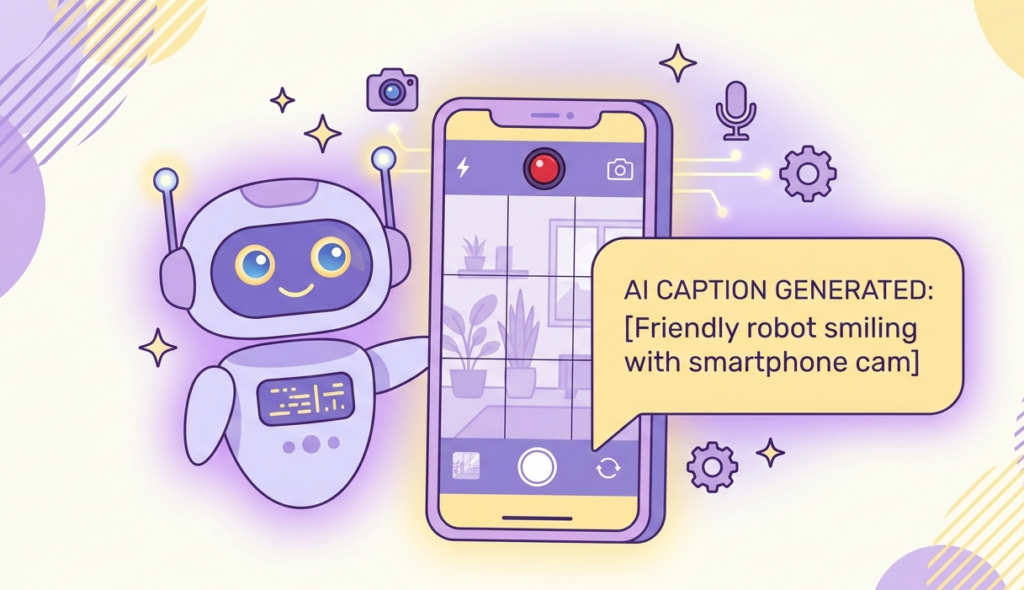
The next feature is AI Captions. With this feature, whenever you click a snap using the Snapchat camera, you can tap on the “T” option, and the AI Caption option will appear.
The benefit of this is that the AI system will look at your picture and automatically give you the best caption for it, since people are often confused about what caption to use on Snapchat. This makes it easy to set any caption.
Extended Snaps
Extended Snaps allows you to send snaps of up to 60 seconds in length, compared to the standard 10-second limit for regular Snapchat users.
My AI Bio Influence
The next feature is Edit My AI Bio. Using this feature, you can influence how your Snapchat AI, called My AI, chats and behaves. Whatever bio you set, your Snapchat AI will behave accordingly.
For example, if you write that your My AI should behave like a physics teacher, then whenever you talk to it, it will behave and chat with you as a physics teacher.
Custom Chat Colours
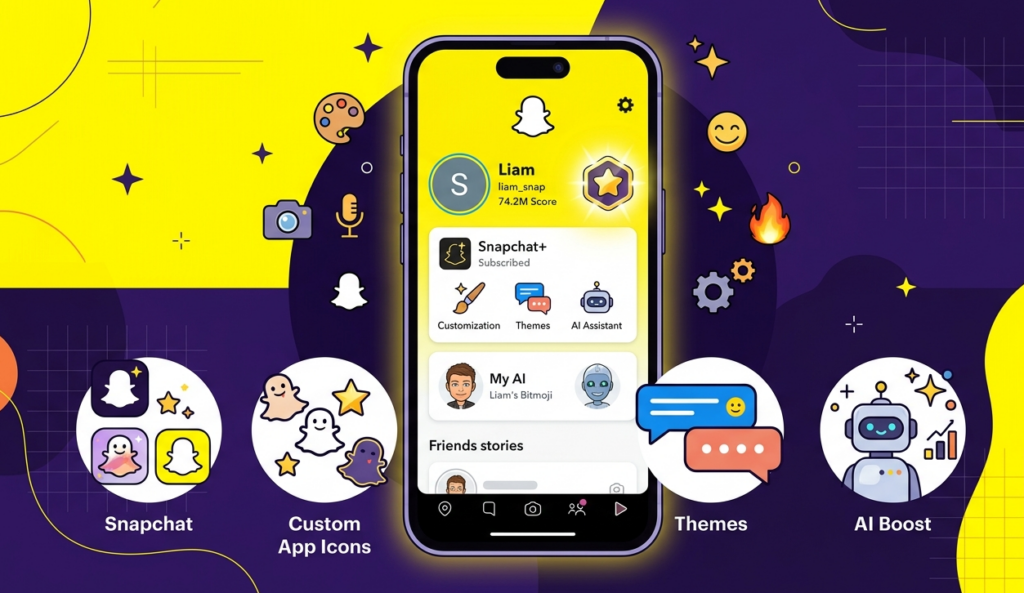
The next feature is Custom Chat Colours. From here, you can choose custom chat colours, and as soon as you choose one, the colour of that friend’s chat section will change accordingly.
Snapscore Multiplier
The next feature is the Snapscore Multiplier. If this feature is enabled, you get the benefit that whenever you share a snap with a friend who already has a Snapchat Plus subscription, your snap score will increase at a much faster speed.
Story Rewatch Count
The next feature is the Story Rewatch Count. If this option is enabled, you get the benefit that whenever you post a story, suppose five people rewatch your story, you will see a particular emoji along with the number five next to it, letting you know that five people have rewatched your story.
Story Boost
The next feature is Story Boost. Using this feature, you can boost your story among friends only, which means Snapchat will repeatedly promote your story among your friends, giving you more views.
Story Time Stamps
The next feature is Story Time Stamps. If this feature is enabled, whenever you post a story on Snapchat, the viewer list of your story will also show the time at which each friend watched your story.
Custom Story Expiry
The next feature is Custom Story Expiry. Using the Snapchat Plus subscription, you can set your story to expire after 1 hour, 12 hours, 2 days, and even up to a week.
Replay Again
The next feature is Replay Again. If you have a Snapchat Plus subscription, you get more chances to replay a snap sent by your friend.
Priority Story Replies
The next feature is Priority Story Replies. Using this feature, whenever you message a public profile or a famous celebrity on their story, your comment gets a higher chance and priority of receiving a reply.
Custom Ringtone Sounds
The next feature is Custom Ringtone Sounds. From here, you can set custom ringtones for your different friends.
This means that if one friend calls you, the ringtone will be different, and if another friend calls or messages you, the ringtone will be different too, letting you guess which friend is calling or messaging you just from the ringtone.
Custom Notification Sounds
The next feature is Custom Notification Sounds. Here, you can set custom notification sounds for your different friends.
Snapchat Plus Premium Profile Background
The next feature is Premium Profile Backgrounds. Tap on View, and you will see different backgrounds and premium wallpapers that look unique and attractive.
When you have a Snapchat Plus subscription, you can choose from different premium backgrounds and wallpapers for your profile.
Snapchat Plus vs Free Version: What Is the Difference?
Many users wonder what exactly changes when they subscribe to Snapchat Plus. Here is a clear comparison between the free version and the paid subscription.
| Feature | Free Version | Snapchat Plus |
|---|---|---|
| Send Snaps and Chats | ✅ Yes | ✅ Yes |
| Stories | ✅ Yes | ✅ Yes |
| Basic Filters and Lenses | ✅ Yes | ✅ Yes |
| Snapchat Map | ✅ Yes | ✅ Yes |
| Custom App Icon | ❌ No | ✅ Yes |
| Chat Wallpaper | ❌ No | ✅ Yes |
| Custom App Theme | ❌ No | ✅ Yes |
| Pin Best Friend | ❌ No | ✅ Yes |
| Story Rewatch Count | ❌ No | ✅ Yes |
| Friend Solar System | ❌ No | ✅ Yes |
| Early Access to New Features | ❌ No | ✅ Yes |
| Snapchat+ Badge on Profile | ❌ No | ✅ Yes |
| Premium GenAI Lenses | ❌ No | ✅ Lens+ Plan |
| Ad-Free Experience | ❌ No | ✅ Platinum Plan only |
| 250GB Memories Storage | ❌ No | ✅ Selected plans |
The free version of Snapchat covers everything a regular user needs for daily communication and entertainment.
Snapchat Plus adds a layer of personalization and social insight on top of that. The biggest additions are the customization options, the ability to see who rewatched your stories, the Friend Solar System feature that shows your closest friendships, and early access to tools that have not yet launched for everyone.
It is also important to note that Snapchat Plus does not give you any communication advantage over free users.
You cannot message people faster, see who viewed your profile, or bypass any privacy settings.
If you are on the fence, Snapchat occasionally offers a 7-day free trial for new subscribers in select regions. This allows users to evaluate the features before committing to a paid plan.
Snapchat Plus Plans and Pricing
Snapchat Plus offers several subscription plans. Prices vary by region, so below are the current rates for India, Pakistan, and the United States.
Snapchat Plus Pricing in India (INR)
| Plan | Price |
|---|---|
| Monthly Plan | ₹49 per month |
| Annual Plan | ₹499 per year (approx. ₹41.58 per month) |
| Lens+ Plan | Varies – check in-app for current rate |
The full annual amount of ₹499 is charged upfront at the time of purchase. It does not deduct monthly.
Snapchat Plus Pricing in Pakistan (PKR)
| Plan | Price |
|---|---|
| Monthly Plan | Approx. PKR 1,100 – 1,300 per month (Check in-app for current rate) |
| Annual Plan | Varies – check in-app for current rate |
Pricing in Pakistan depends on exchange rates and applicable taxes at the time of purchase. Always verify the current price inside your Snapchat app before subscribing.
Snapchat Plus Pricing in the United States (USD)
| Plan | Price |
|---|---|
| Monthly Plan | $3.99 per month |
| Annual Plan | $39.99 per year (approx. $3.33 per month) |
| Lens+ Plan | $9.00 per month |
| Platinum Plan | Higher tier – check in-app for current rate |
Available Plan Tiers
Snapchat currently offers the following subscription tiers:
Snapchat+ (Basic): Gives access to 40+ exclusive features including customization, social insights, and early-access tools.
Lens+ Plan: Includes everything in the basic plan plus exclusive GenAI-powered lenses and 5TB of Memories storage.
Platinum Plan: Includes all features plus an ad-free experience (no Story or Lens ads). Available in select regions.
Family Plan: Allows the subscriber to add up to 2 additional people under one subscription, with 250GB of shared Memories storage.
How to Buy Snapchat Plus: Step-by-Step Guide
Step 1: Open Snapchat
Open the Snapchat app on your phone.
Step 2: Go to Your Profile
After opening the app, tap on your profile icon at the top of the screen. You will find it in the top corner, clearly visible.
Step 3: Find the Snapchat Plus Option
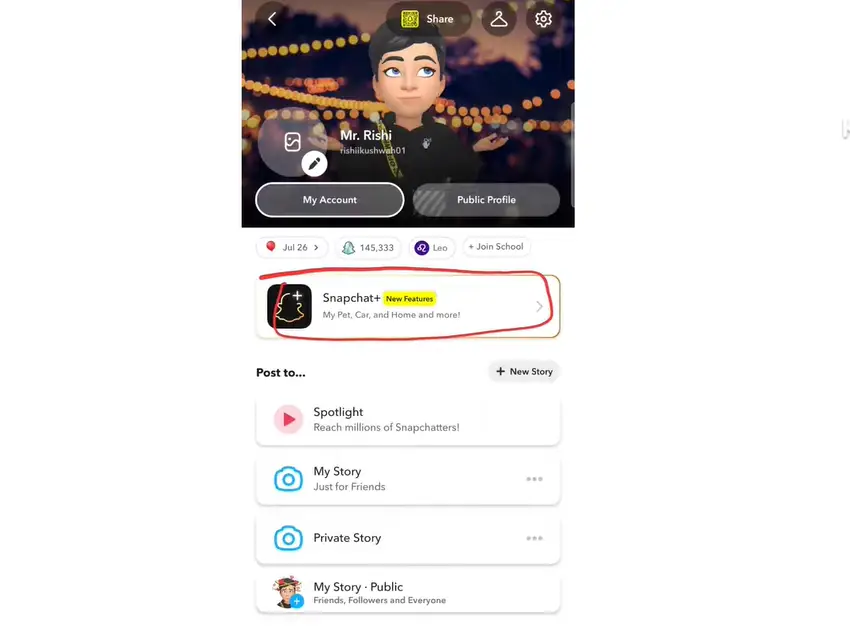
Once you are on your profile page, you will see several details including your name, profile photo, My Account, public profile, birth date, and more. Scroll through the profile section and look for the option that says Snapchat+. Tap on it.
Step 4: Explore Snapchat Plus Features
After tapping on Snapchat+, a screen will open showing all the new and updated features available with the membership. You can read through them carefully. New features are constantly being added here.
Step 5: Tap “Next” to See Plans
After reviewing the features, tap the Next button. This will bring up all the available subscription plans, including the monthly and annual options.
Step 6: Select Your Preferred Plan
Choose the plan you want. For example, if you tap on the Monthly plan, a Subscribe button will appear on the screen.
Step 7: Complete the Payment
After tapping Subscribe, Google Play will automatically open with a payment popup. You can tap on the payment section to change your payment method. Available payment options include:
- UPI (Google Pay, PhonePe, etc.)
- Debit Card
- Credit Card
- Net Banking
- Other apps
- Redeem Code
For example, to pay with Google Pay, simply tap on Google Pay. It will be automatically set as your payment method.
Note for Pakistani Users: UPI is not available in Pakistan. To purchase Snapchat Plus in Pakistan, use a Google Play Gift Card (available via trusted online sellers) or ask someone with an Indian Google account to purchase it on your behalf.
Step 8: Subscribe and Confirm Payment
Once your payment method is selected, tap the Subscribe button. Wait a few seconds. Your selected payment app will open automatically. Enter your UPI PIN (or complete payment through your chosen method) to confirm.
Once the payment is confirmed, your Snapchat Plus membership will be activated immediately.
How many people can you pin with Snapchat Plus?
With Snapchat Plus, you can pin up to 3 conversations at the top of the Chat screen, just like in the free version. But Snapchat+ subscribers get an extra feature: you can pin one person as your #1 Best Friend (BFF), which appears above all other pins. This is visible only to you, not others.
How many restores do you get on Snapchat Plus?
Snapchat Plus subscribers get one free streak restore per month. Once you use that, the remaining restores require an in-app purchase. And note, if you don’t use that free restore, it won’t carry forward to the next month.
Why do people buy Snapchat Plus?
People buy Snapchat Plus for its exclusive features not available in the free version, like pinning a #1 BFF, a story rewatch indicator, custom app icons, chat wallpapers, streak restore, and early access to new features. For those who use Snapchat daily, this subscription proves to be quite useful.
What all can you do with Snapchat Plus?
With Snapchat Plus, you can do all of these:
Pin your best friend as #1 BFF
See the Story Rewatch Indicator – how many times a story has been rewatched
Set the Story Timer – from 1 hour to 1 week
Apply custom app icons and chat wallpapers
Use Streak Restore monthly
View your Friend Solar System and your friendship rankings
Use Story Boost once per week
Access the AI Camera Mode and exclusive AR lenses
Show the Snapchat+ Badge next to your name
How to get Lens Plus on Snapchat?
To get Lens Plus, open your Snapchat profile, then tap the Snapchat+ banner. Select the Lens+ Monthly Plan and complete the payment from the App Store or Google Play. You’ll then get access to hundreds of exclusive AR lenses and AI-powered lenses. Note: Lens+ is a separate and slightly more expensive plan than the standard Snapchat+ plan.
Disclaimer: The pricing mentioned in this article is based on publicly available information at the time of writing. Snapchat may update its subscription prices, plans, or features at any time without prior notice. Prices also vary by region, device, and applicable taxes. Always check the official Snapchat app or the Snapchat support website for the most current and accurate pricing before making a purchase.