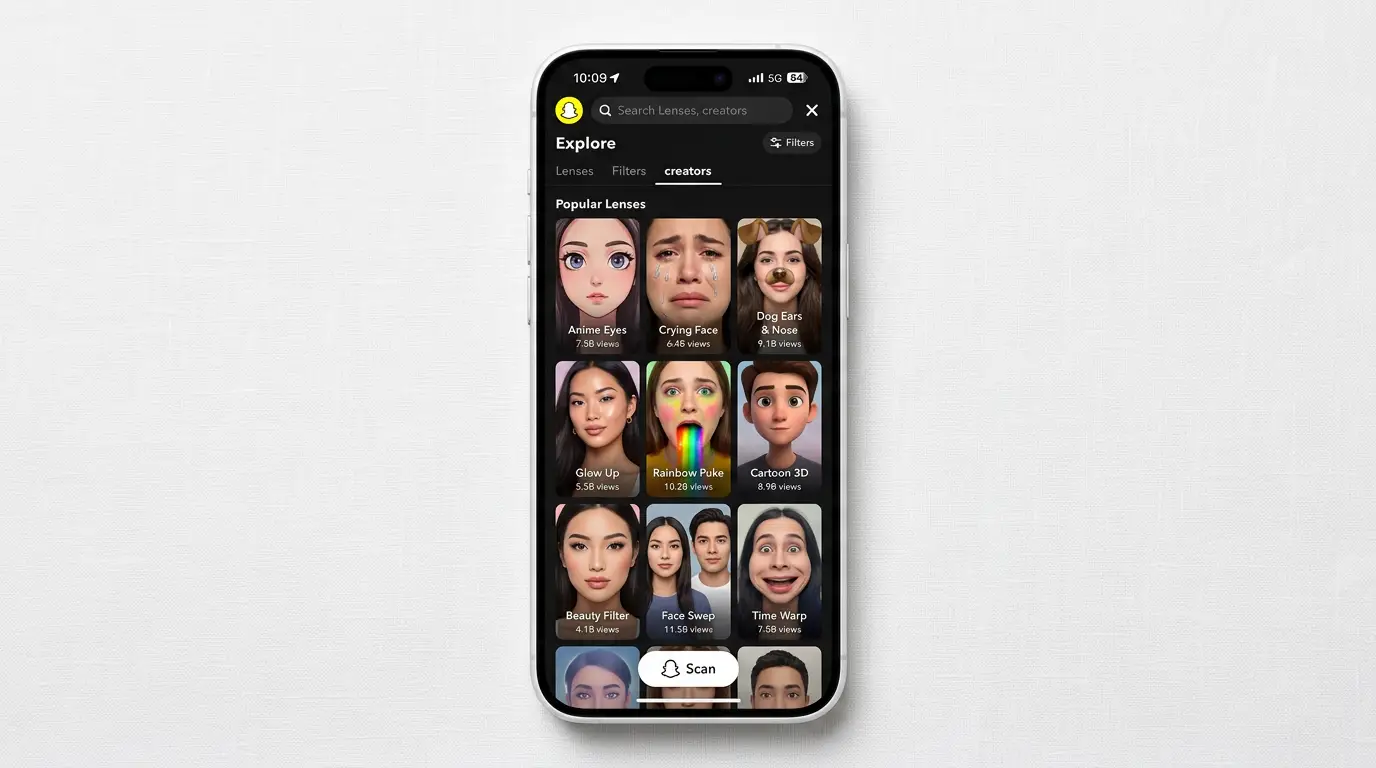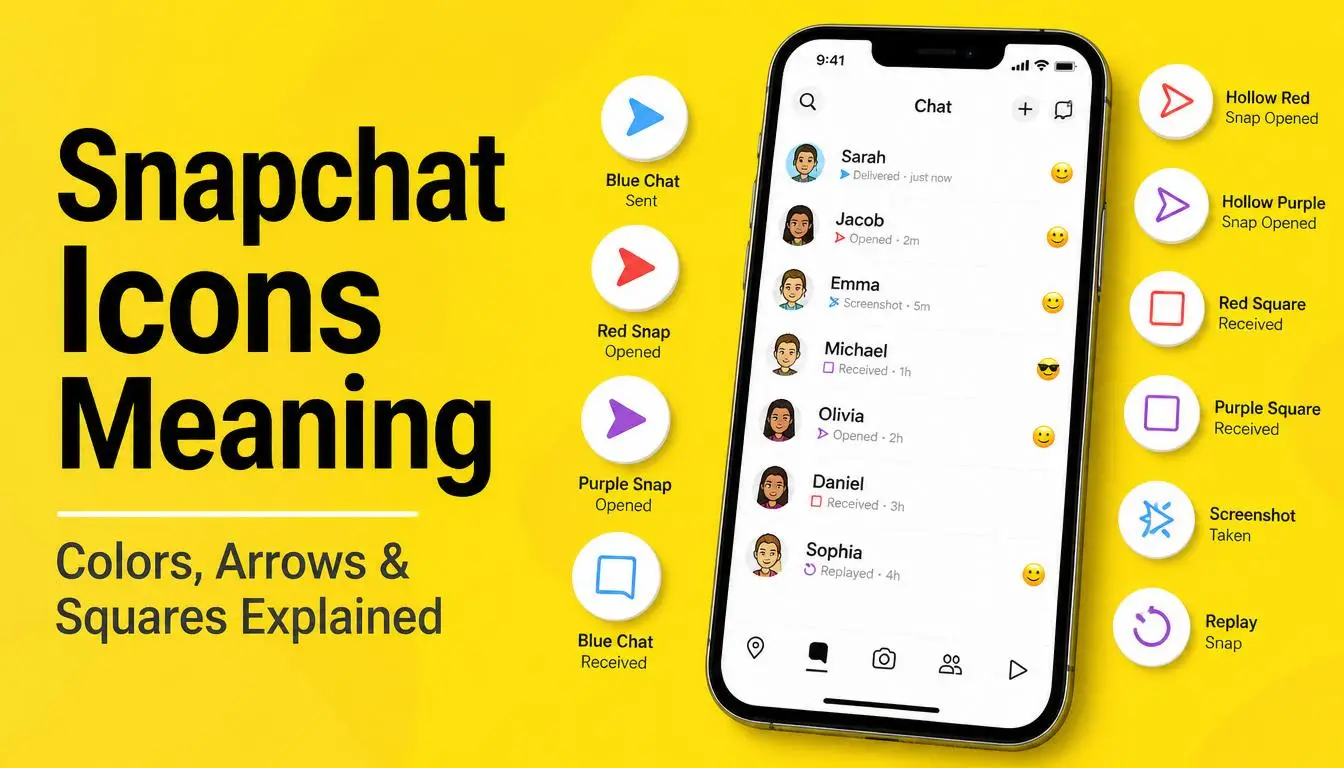

If you are a big Snapchat fan and want to unlock exclusive features on the app, then Snapchat Plus is exactly what you need.
Snapchat launched its membership service quite some time ago, and it has been getting better with every update.
In this article, you will learn exactly how to purchase a Snapchat Plus subscription, what plans are available, and how to complete the payment easily using UPI or other methods.
What Is Snapchat Plus?
Snapchat Plus is Snapchat’s own official subscription service. When you activate it, you get access to a wide range of exclusive features that are not available to regular users.
New features are added to Snapchat Plus on a regular basis, making it more valuable over time.
Also Read: Snapchat Plus Features: 40+ Interesting Features Explained (Is It Worth It?)
Some of the features included with Snapchat Plus are:
- Custom app icon
- Chat wallpaper
- Custom app theme
- Pinning your best friend to the top of your list
- Rewatching stories
- My Pet and My AI customization options
- Access to premium Lenses and filters
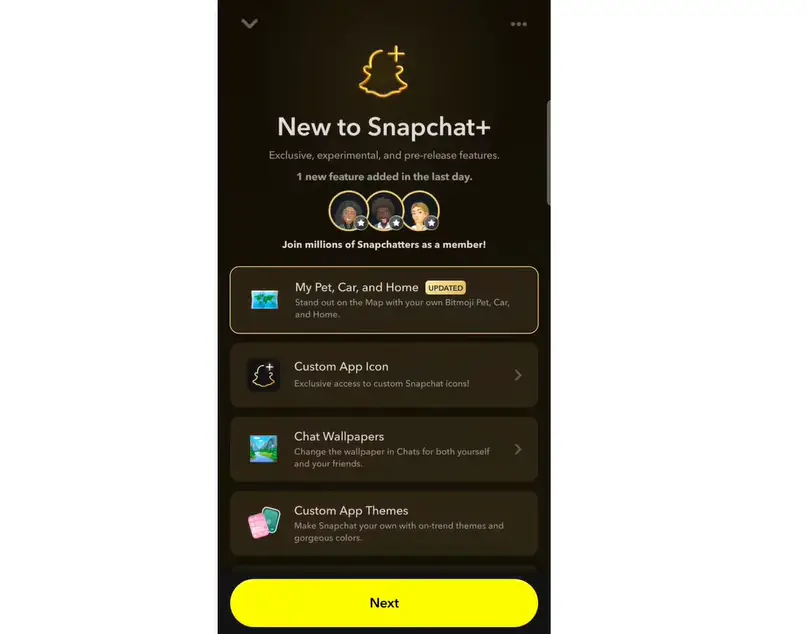
There are many more features available, and the list keeps growing with each update.
Is Snapchat Plus Worth It?
Whether Snapchat Plus is worth it depends on how you use Snapchat.
If Snapchat is part of your daily routine for connecting, sharing stories, or exploring features, then Snapchat Plus is worth considering.
Features like custom themes, Story Rewatch Count, and early access make it a good choice for regular users.
On the other hand, if you only use Snapchat occasionally, the free version is enough.
All the core features – sending snaps, chatting, using filters, and posting stories, remain completely free.
Snapchat Plus does not remove ads in the basic plan, and it does not unlock anything that is essential for casual use.
The price is also reasonable for most users in Pakistan and India.
The yearly plan saves more money than paying every month.
Snapchat Plus vs Free Version: What Is the Difference?
Many users wonder what exactly changes when they subscribe to Snapchat Plus. Here is a clear comparison between the free version and the paid subscription.
| Feature | Free Version | Snapchat Plus |
|---|---|---|
| Send Snaps and Chats | ✅ Yes | ✅ Yes |
| Stories | ✅ Yes | ✅ Yes |
| Basic Filters and Lenses | ✅ Yes | ✅ Yes |
| Snapchat Map | ✅ Yes | ✅ Yes |
| Custom App Icon | ❌ No | ✅ Yes |
| Chat Wallpaper | ❌ No | ✅ Yes |
| Custom App Theme | ❌ No | ✅ Yes |
| Pin Best Friend | ❌ No | ✅ Yes |
| Story Rewatch Count | ❌ No | ✅ Yes |
| Friend Solar System | ❌ No | ✅ Yes |
| Early Access to New Features | ❌ No | ✅ Yes |
| Snapchat+ Badge on Profile | ❌ No | ✅ Yes |
| Premium GenAI Lenses | ❌ No | ✅ Lens+ Plan |
| Ad-Free Experience | ❌ No | ✅ Platinum Plan only |
| 250GB Memories Storage | ❌ No | ✅ Selected plans |
The free version of Snapchat covers everything a regular user needs for daily communication and entertainment.
Snapchat Plus adds a layer of personalization and social insight on top of that. The biggest additions are the customization options, the ability to see who rewatched your stories, the Friend Solar System feature that shows your closest friendships, and early access to tools that have not yet launched for everyone.
It is also important to note that Snapchat Plus does not give you any communication advantage over free users.
You cannot message people faster, see who viewed your profile, or bypass any privacy settings.
If you are on the fence, Snapchat occasionally offers a 7-day free trial for new subscribers in select regions. This allows users to evaluate the features before committing to a paid plan.
Snapchat Plus Plans and Pricing
Snapchat Plus offers several subscription plans. Prices vary by region, so below are the current rates for India, Pakistan, and the United States.
Snapchat Plus Pricing in India (INR)
| Plan | Price |
|---|---|
| Monthly Plan | ₹49 per month |
| Annual Plan | ₹499 per year (approx. ₹41.58 per month) |
| Lens+ Plan | Varies – check in-app for current rate |
The full annual amount of ₹499 is charged upfront at the time of purchase. It does not deduct monthly.
Snapchat Plus Pricing in Pakistan (PKR)
| Plan | Price |
|---|---|
| Monthly Plan | Approx. PKR 1,100 – 1,300 per month (Check in-app for current rate) |
| Annual Plan | Varies – check in-app for current rate |
Pricing in Pakistan depends on exchange rates and applicable taxes at the time of purchase. Always verify the current price inside your Snapchat app before subscribing.
Snapchat Plus Pricing in the United States (USD)
| Plan | Price |
|---|---|
| Monthly Plan | $3.99 per month |
| Annual Plan | $39.99 per year (approx. $3.33 per month) |
| Lens+ Plan | $9.00 per month |
| Platinum Plan | Higher tier – check in-app for current rate |
Available Plan Tiers
Snapchat currently offers the following subscription tiers:
Snapchat+ (Basic): Gives access to 40+ exclusive features including customization, social insights, and early-access tools.
Lens+ Plan: Includes everything in the basic plan plus exclusive GenAI-powered lenses and 5TB of Memories storage.
Platinum Plan: Includes all features plus an ad-free experience (no Story or Lens ads). Available in select regions.
Family Plan: Allows the subscriber to add up to 2 additional people under one subscription, with 250GB of shared Memories storage.
How to Buy Snapchat Plus Membership: Step-by-Step
Step 1: Open Snapchat
Open the Snapchat app on your phone.
Step 2: Go to Your Profile
After opening the app, tap on your profile icon at the top of the screen. You will find it in the top corner, clearly visible.
Step 3: Find the Snapchat Plus Option
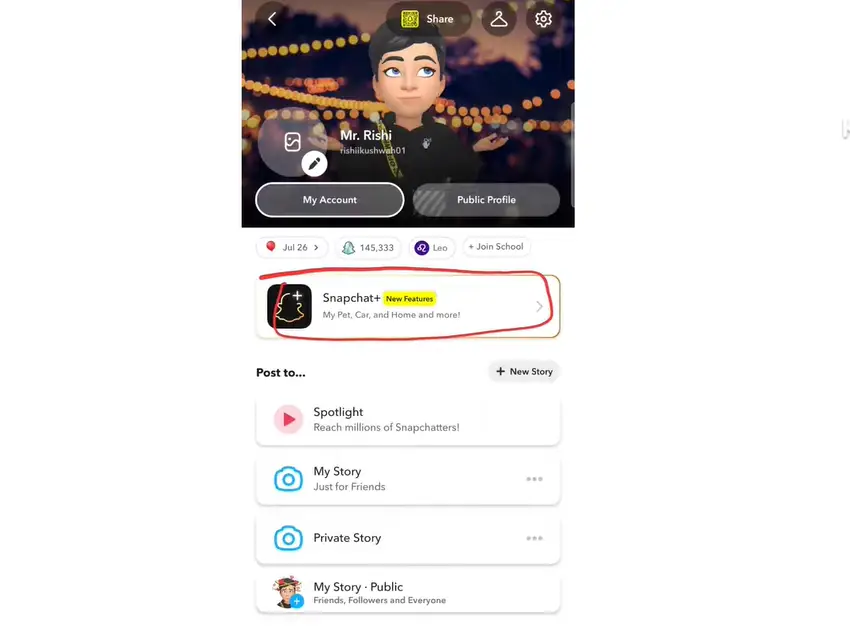
Once you are on your profile page, you will see several details including your name, profile photo, My Account, public profile, birth date, and more. Scroll through the profile section and look for the option that says Snapchat+. Tap on it.
Step 4: Explore Snapchat Plus Features
After tapping on Snapchat+, a screen will open showing all the new and updated features available with the membership. You can read through them carefully. New features are constantly being added here.
Step 5: Tap “Next” to See Plans
After reviewing the features, tap the Next button. This will bring up all the available subscription plans, including the monthly and annual options.
Step 6: Select Your Preferred Plan
Choose the plan you want. For example, if you tap on the Monthly plan, a Subscribe button will appear on the screen.
Step 7: Complete the Payment
After tapping Subscribe, Google Play will automatically open with a payment popup. You can tap on the payment section to change your payment method. Available payment options include:
- UPI (Google Pay, PhonePe, etc.)
- Debit Card
- Credit Card
- Net Banking
- Other apps
- Redeem Code
For example, to pay with Google Pay, simply tap on Google Pay. It will be automatically set as your payment method.
Step 8: Subscribe and Confirm Payment
Once your payment method is selected, tap the Subscribe button. Wait a few seconds. Your selected payment app will open automatically. Enter your UPI PIN (or complete payment through your chosen method) to confirm.
Once the payment is confirmed, your Snapchat Plus membership will be activated immediately.
Disclaimer: The pricing mentioned in this article is based on publicly available information at the time of writing. Snapchat may update its subscription prices, plans, or features at any time without prior notice. Prices also vary by region, device, and applicable taxes. Always check the official Snapchat app or the Snapchat support website for the most current and accurate pricing before making a purchase.